

Introducing Bitculator Widgets
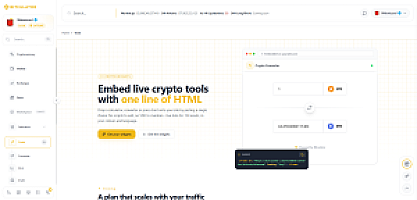
Your readers ask the same questions on every crypto article you publish: what's that worth in dollars? What if I'd DCA'd into it a year ago? What's the staking yield actually compound to? Now you can answer inline. Bitculator Widgets are live - nine embeddable tools, backed by the same live data engine as bitculator.com, that drop into any website with a single iframe, no JavaScript SDK, no build step, no framework requirements. If your page can render an iframe, it can render live crypto data.
The nine widgets
- Converter - live crypto↔fiat conversion between any two assets we track, with prices refreshed roughly every minute.
- Zoom - a deep-dive performance view of a single asset.
- Flip - two assets head-to-head.
- DCA calculator - what a recurring buy would have grown into, using real historical prices.
- Profit calculator - entry, exit, fees and result.
- Interest calculator - compounding projections with contributions.
- Staking calculator - yield projections over time.
- Tax calculator - quick gains estimation.
- Loan calculator - crypto-backed loan math.
Every widget supports a compact mode for tight layouts, light and dark themes, and - because the platform speaks 19 languages - the widget renders in whichever locale you put in the URL. A German site embeds /de/, a Japanese site /ja/, and the whole widget follows. They also resize themselves: each widget reports its height to your page via postMessage, so embeds fit their content instead of scrolling inside a fixed box.
Try before you sign up - literally no signup
Widgets work without an account: keyless embeds get 1,000 loads per month per visitor, which is plenty to evaluate on a staging site. When you're ready to go live, create a free key in your developer console. The free plan includes 10,000 loads per month, and the Starter and Pro plans scale that to 50,000 and 500,000 with more domains and keys. Keys are locked to your domain allowlist, so nobody can spend your quota from a site you don't control, and your console shows live usage per widget.
Build your snippet visually
You don't have to hand-assemble URLs. The widgets page has an interactive picker - choose a widget, watch the live preview, toggle sections, set the theme, locale and size - and the iframe snippet updates as you click. Copy, paste, done.
For the full contract - authentication, domain rules, quotas, every widget's parameters, and a CSP note for stricter sites - see the widget documentation, which, like the widgets, is available in 19 languages.
Widgets or API?
Widgets are the fastest path: zero code, visual, quota counted in page loads. If you'd rather own the presentation and pull raw JSON into your own UI, that's what the Bitculator Data API is for - same data, different depth. Plenty of publishers use both: widgets in articles, the API in their backend.
Start embedding
- Open the widget picker and play with the live previews.
- Copy a snippet - it works immediately, even keyless.
- When you're ready for production, grab a free key in the developer console and add your domain.
If you embed a Bitculator widget somewhere interesting, send us the link - we love seeing our tools out in the wild.